Features
Run every property from one desk.
Hauseora holds the house manual, the people, the vendors, the calendar and the money for every property you look after, and lets you work all of it by asking.
The assistant
Ask, and it is done.
Type what you would say to a very good assistant. Hauseora answers from your household’s own record and then carries out the work: the task is created, the vendor assigned, the expense filed, the calendar updated.
Answers from your own data
What is overdue, who is on shift, which vendor holds the contract and whether their insurance is still current. Asked in plain English, answered from the record.
Carries out the work
Creates and assigns tasks, files expenses, books calendar events, sets up zones and access codes, writes to the manual. The same rules apply as when you do it by hand.
Reads photographs
A photographed receipt becomes an expense. A photographed business card becomes a vendor.
Shows its work
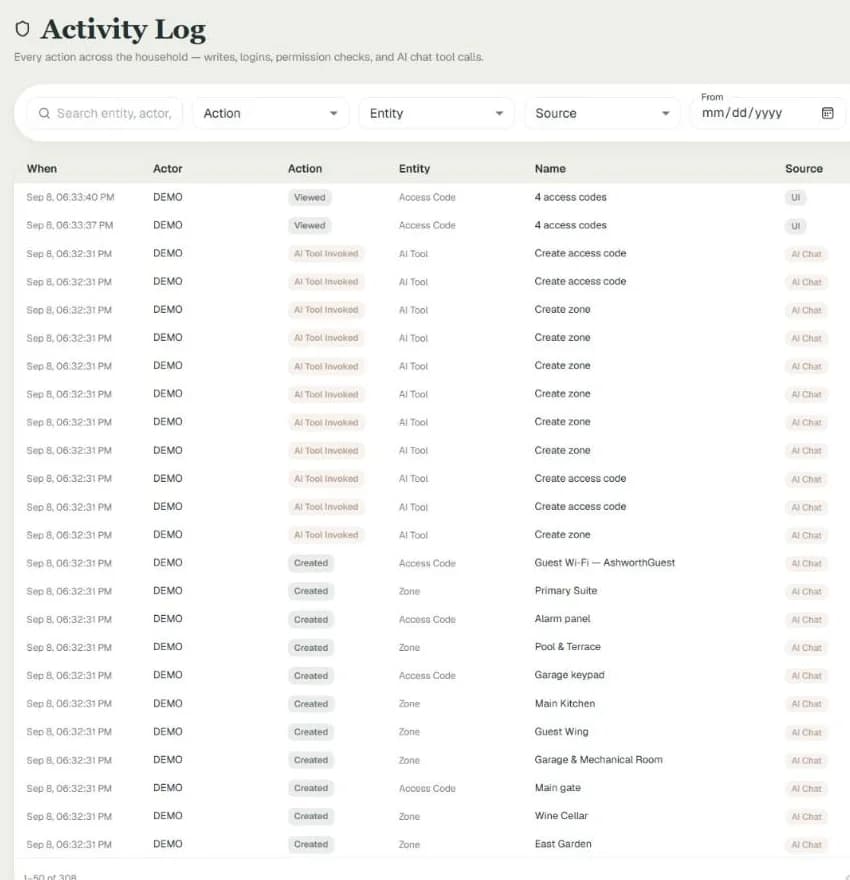
Every action lands in the activity log under your name, and anything that removes data asks you first.
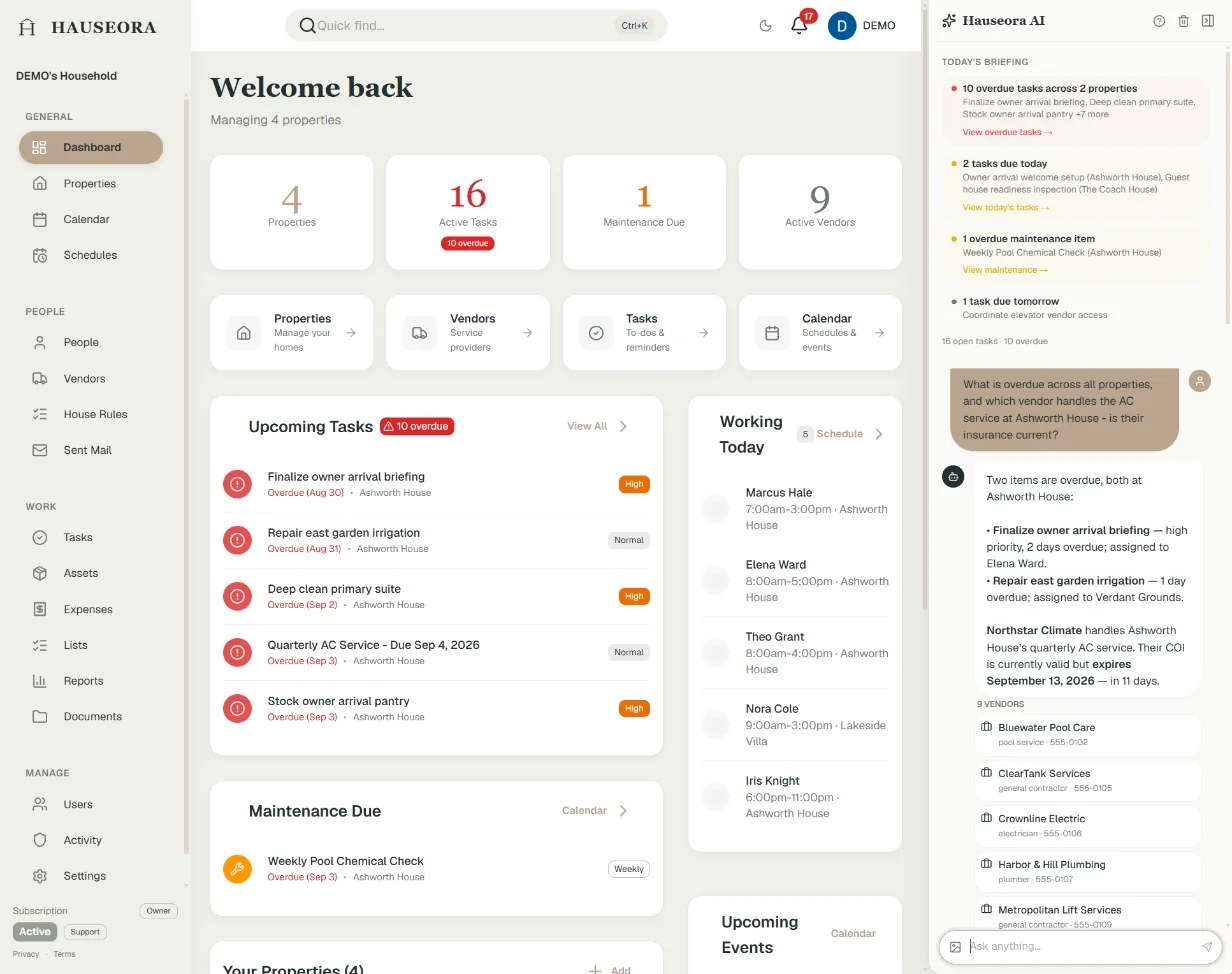
What is overdue across all properties, and which vendor handles the AC service at Ashworth House? Is their insurance current?
Two overdue items, both at Ashworth House:
- Finalize owner arrival briefing, high priority, two days overdue, assigned to Elena Ward.
- Repair east garden irrigation, one day overdue, assigned to Verdant Grounds.
Northstar Climate handles the AC service at Ashworth House. Their insurance is current through September 13, 2026, but it expires in 11 days and should be renewed now.
A real exchange in the demo household, answered from its own tasks and vendor records.
Know the house
Everything the house knows, written down once.
The knowledge that usually lives in one person’s head, how the house runs, where things are, who to call, becomes a record the whole team can read and the assistant can use.
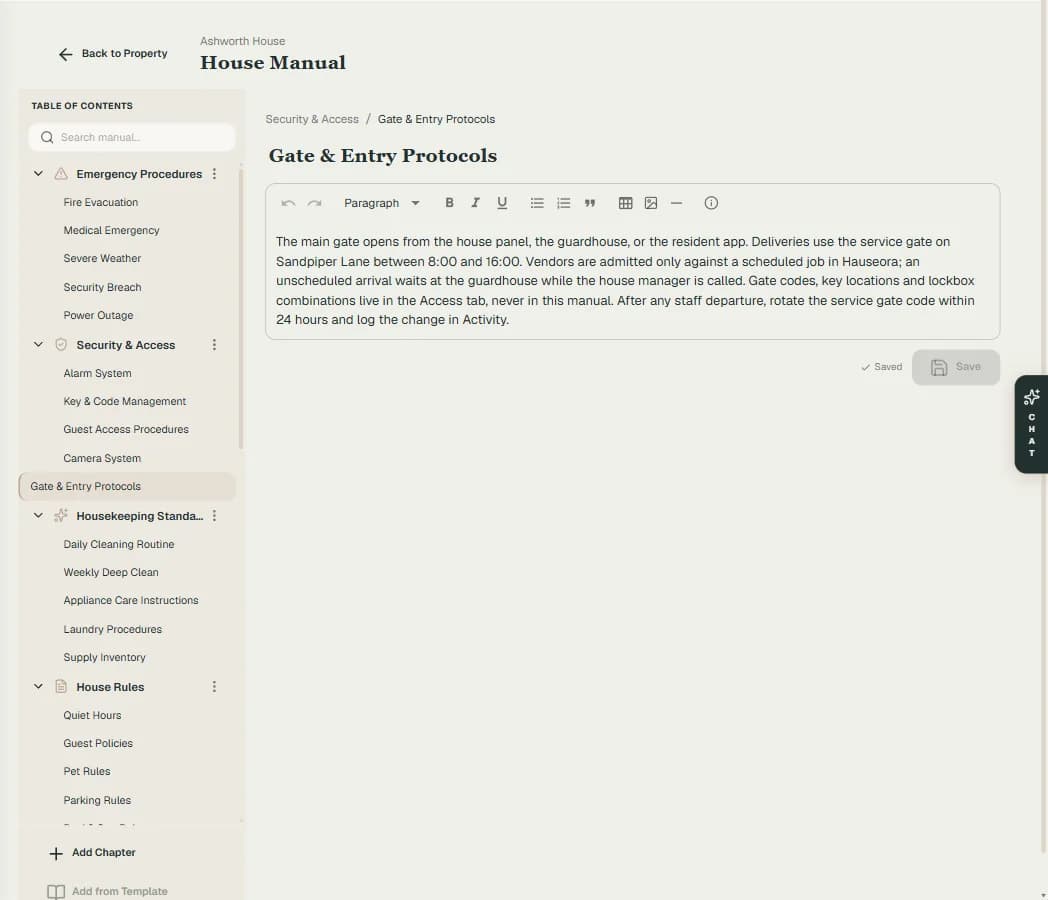
House manual
Chapters and sections for standards, protocols, systems and emergencies. Start from a template, search across all of it, hand it to a new hire on day one.
Zones and assets
Rooms and grounds as the frame for everything else, with the equipment, art and inventory in each, and their warranties, appraisals and insurance.
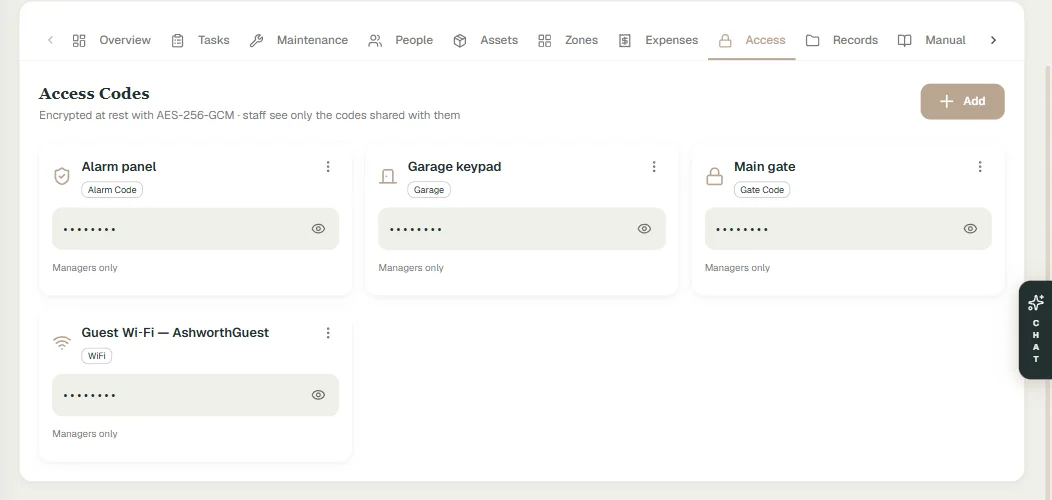
Access codes
Gate, alarm, garage, safe and Wi-Fi codes kept encrypted, revealed on demand, and shared only with the people who need them.
Documents
Filed by property, zone, asset or vendor, with expiry reminders and share links that stop working when you say so.
Residents and preferences
Dietary needs, allergies, sizes and travel preferences for the family and regular guests, in one place the team can consult.
Run the work
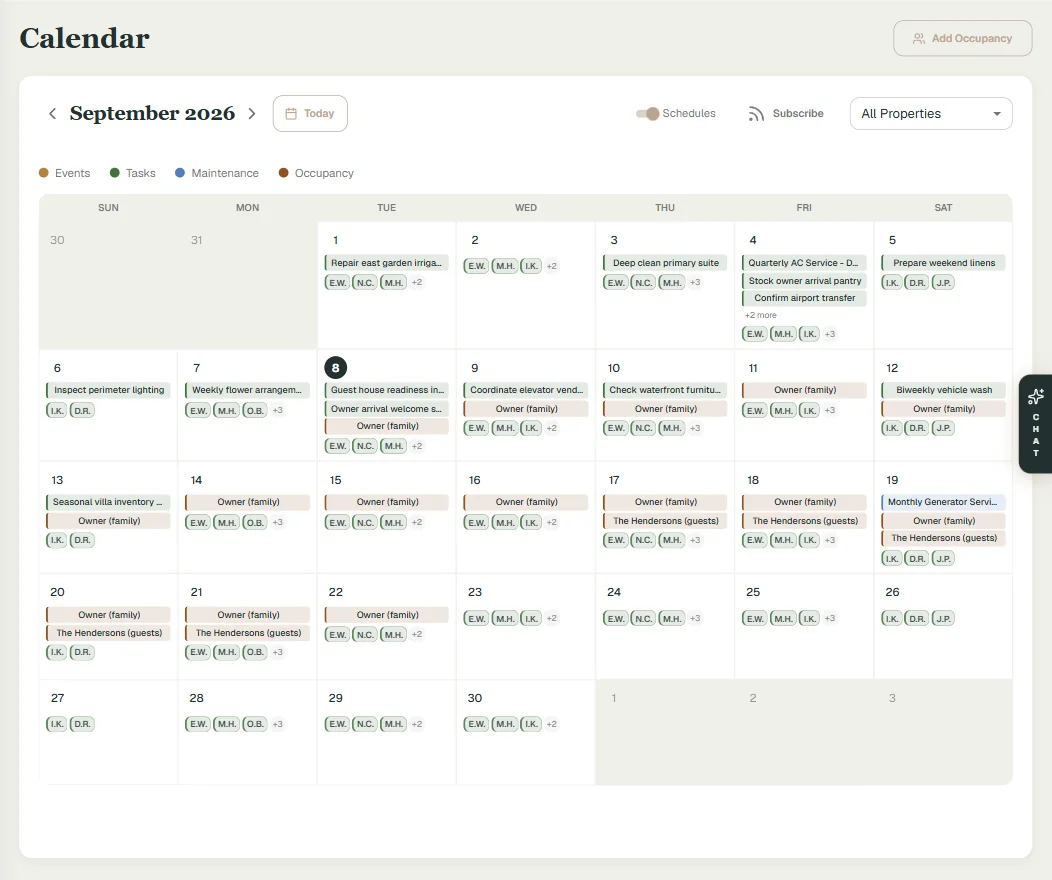
The week, the month and the season on one grid.
Tasks, recurring maintenance, staff shifts and who is in residence share a single calendar, so nothing is planned in one place and forgotten in another.
Tasks
Assigned to a staff member or a vendor, recurring when they should be, with checklists, priorities and a thread for updates.
Maintenance schedules
Recurring service for every system in the house, started from templates by property type, with what is due and what was missed in plain view.
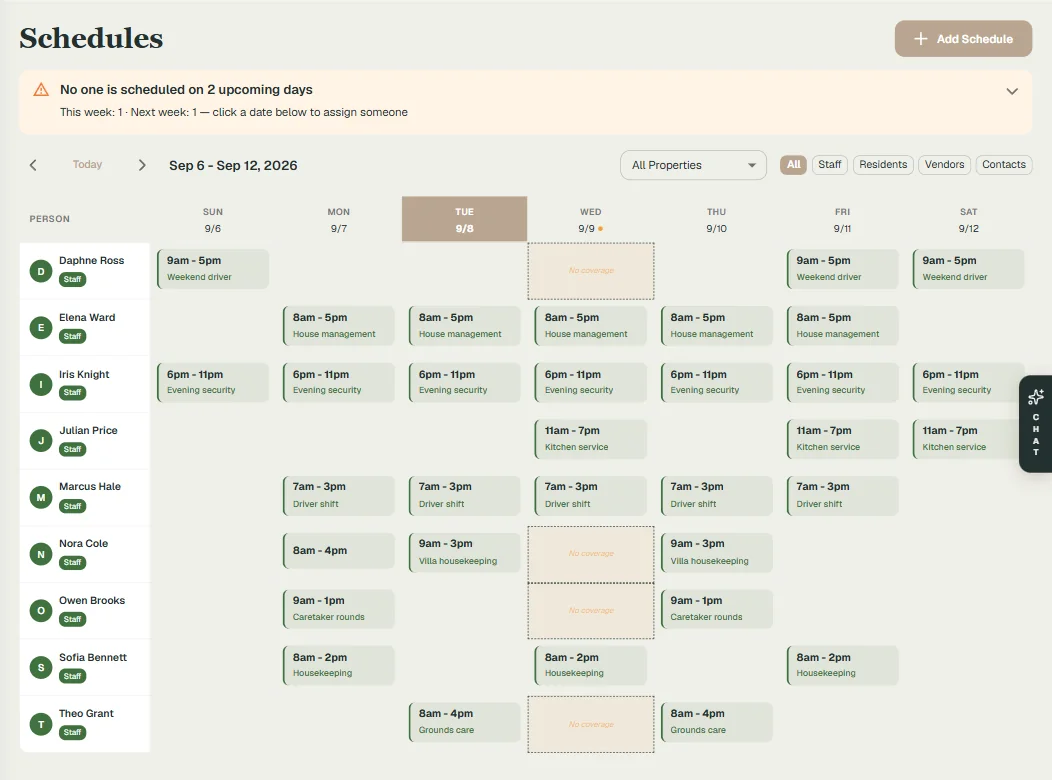
Staff scheduling
Shift patterns, one-day changes and cover, with any day nobody is scheduled flagged before it arrives.
Calendar
Events, tasks, maintenance, occupancy and staff on one calendar, for the household or a single property. Two-way sync with Google Calendar, and a feed any calendar app can subscribe to.
Occupancy
Who is in which house, and when, so every property is ready before the car pulls in.
People and vendors
Everyone who works on the house, and what each of them can see.
Staff and vendors get their own way in, scoped to their properties and their jobs. The record stays whole, and each person sees the part that concerns them.
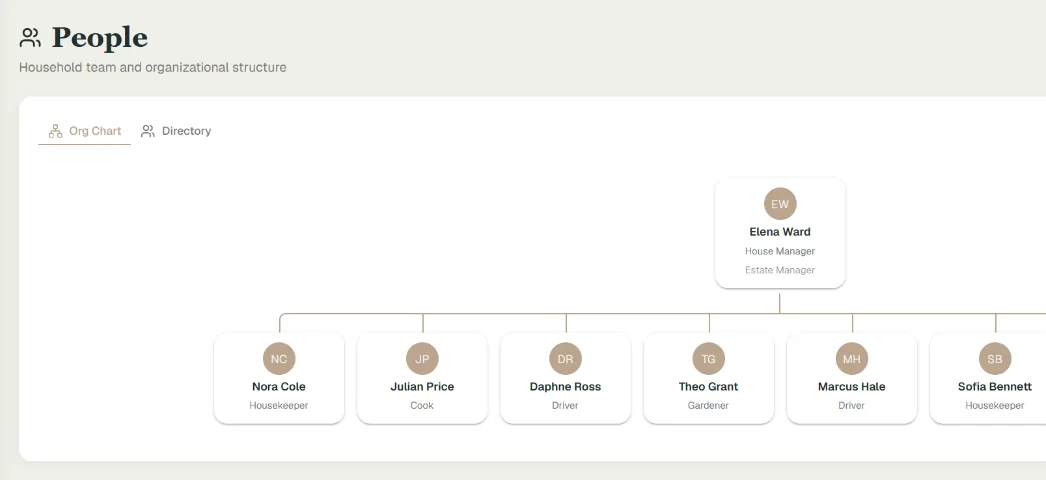
People
The household team as an org chart and a directory: roles, reporting lines, employment documents and notes, with each person’s own login limited to the properties they work.
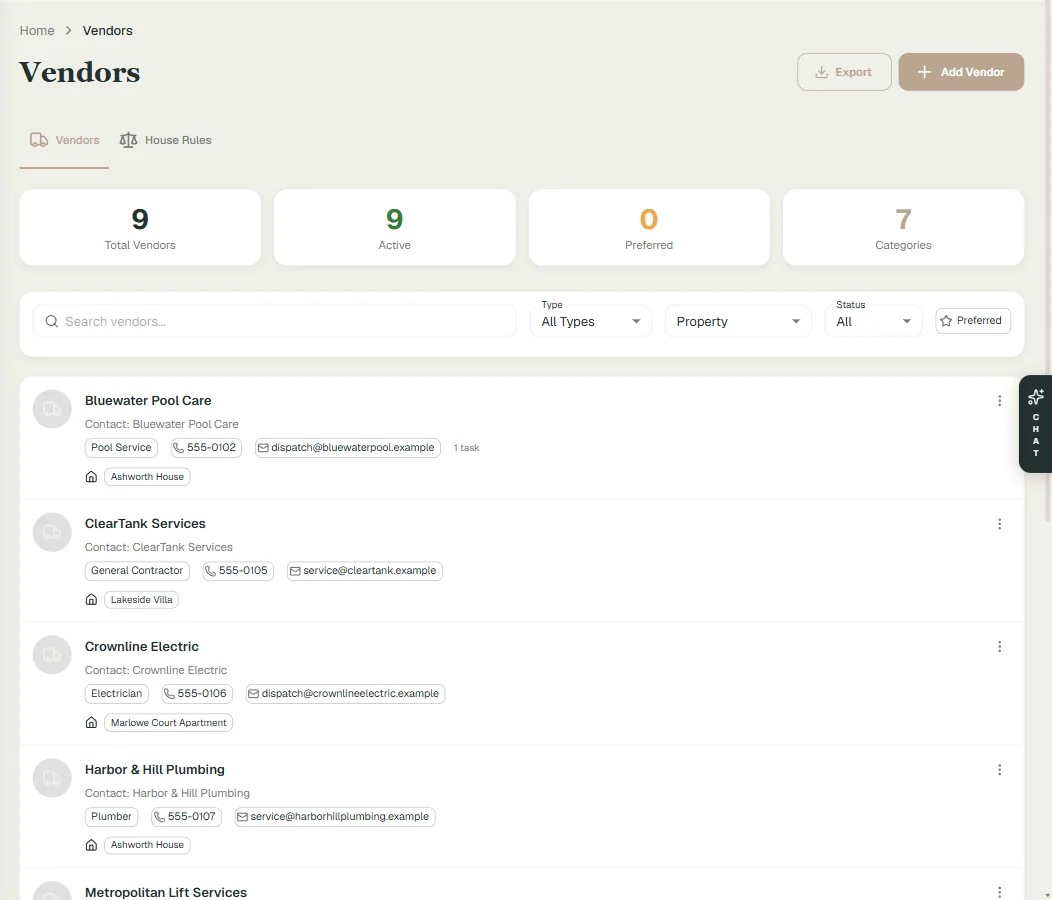
Vendors
A registry per property with contacts, contracts, work history and performance notes. Insurance certificates tracked, with reminders before they lapse.
Vendor portal
Vendors confirm the job, send an estimate and mark it done from their own page. Nothing counts as finished until you say it is.
Roles and permissions
Owners, managers, staff and viewers each see what their role allows. Staff see the properties they are assigned to, and only those.
Money and oversight
Where the money went, and who changed what.
The principal wants a calm summary. The accountant wants the detail. The manager needs to know what happened while they were away. All three read from the same record.
Expenses
Every cost by property, category and vendor, receipts attached, ready for the principal or the accountant.
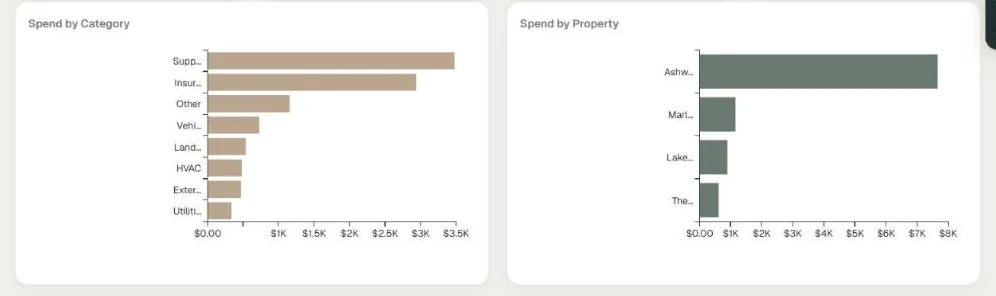
Reports
Spend by property and category, vendor performance, maintenance compliance and staff activity, with export to a spreadsheet.
Activity log
Every change, by whom and from where, including everything the assistant did. It cannot be edited after the fact.
Notifications
Due and overdue work, vendor confirmations and expiring documents, by email and on your devices, kept out of your quiet hours.
And the small things.
Search everywhere
One search box across properties, people, vendors, documents and tasks.
Lists and checklists
Housekeeping, inventory and seasonal lists from built-in templates, or your own.
Export
Every list and report downloads to a spreadsheet.
Any device
The full platform on desktop, tablet and phone, installable to the home screen.
Every feature, on one list.
Each item links to where it is described above.
- Answers from your own data
- Carries out the work
- Reads photographs
- Shows its work
- House manual
- Zones and assets
- Access codes
- Documents
- Residents and preferences
- Tasks
- Maintenance schedules
- Staff scheduling
- Calendar
- Occupancy
- People
- Vendors
- Vendor portal
- Roles and permissions
- Expenses
- Reports
- Activity log
- Notifications
- Search everywhere
- Lists and checklists
- Export
- Any device
See it with your own properties.
A demo walks through the platform with your houses, your team and your vendors in mind. One plan, unlimited users, and no per-property fees for up to 25 properties.